 Minform
Custom Code Injection
Custom Code Injection allows you to run custom JavaScript on your forms. This is useful for integrating third-party tools like chat widgets, analytics, or custom tracking scripts.
NOTE : This feature is available on Business plan only and requires a Custom Domain.
Prerequisites
- Business Plan: You must be on a paid plan to use this feature.
- Custom Domain: You must have a custom domain connected and Active. The code will only run on forms accessed via your custom domain.
How to Add Custom Code
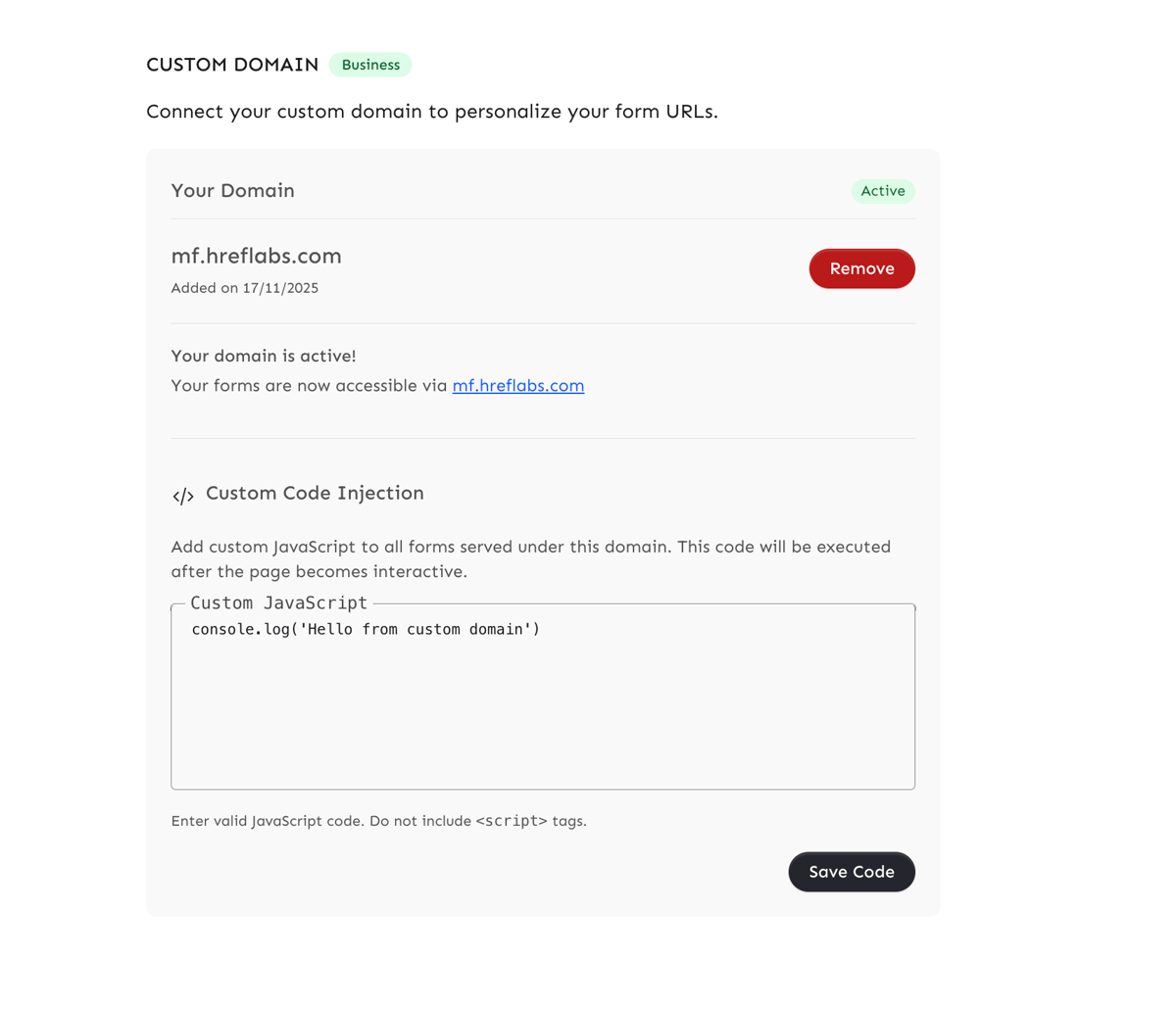
- Go to Settings in your dashboard.
- Scroll down to the Custom Domain section.
- Ensure your domain status is Active.
- Locate the Custom Code Injection block below your domain details.
- Enter your JavaScript code in the text area.
- Click Save Code.
Important Notes
- No
<script>Tags: Do not include opening or closing<script>tags. The system automatically wraps your code in a script tag. If you include them, they will be stripped out. - Execution Timing: Your code is executed using the
afterInteractivestrategy. This means it runs after the page becomes interactive (hydrated). - Scope: The code applies to all forms served under your custom domain.
Examples
1. Simple Console Log
console.log('Custom code running on Minform!');2. Third-Party Tracking (Example)
If a tool gives you a snippet like this:
<script> window.myTracker = window.myTracker || []; window.myTracker.push('pageview');</script>You should enter only the JavaScript part:
window.myTracker = window.myTracker || [];window.myTracker.push('pageview');