 Minform
Building Outcome & Personality Quizzes with AI
Personality quizzes are the kind of content people actually want to take. "What Kind of Traveler Are You?", "Which Leader Matches Your Style?" They're fun, shareable, and surprisingly effective for lead generation.
In Minform, you can build one with AI in under a minute. Just describe what you want and the AI handles scoring, logic, result pages, everything.
Create your quiz with AI
Open the editor and describe what you want. Be specific about the number of questions, the outcomes, and what kind of quiz it is.
For example:
Create a personality quiz called "What Kind of Traveler Are You?" with 6 questions and 4 outcomes: Adventure Seeker, Culture Explorer, Relaxation Lover, and Foodie Wanderer. Use one question per page. Show a different result page for each outcome.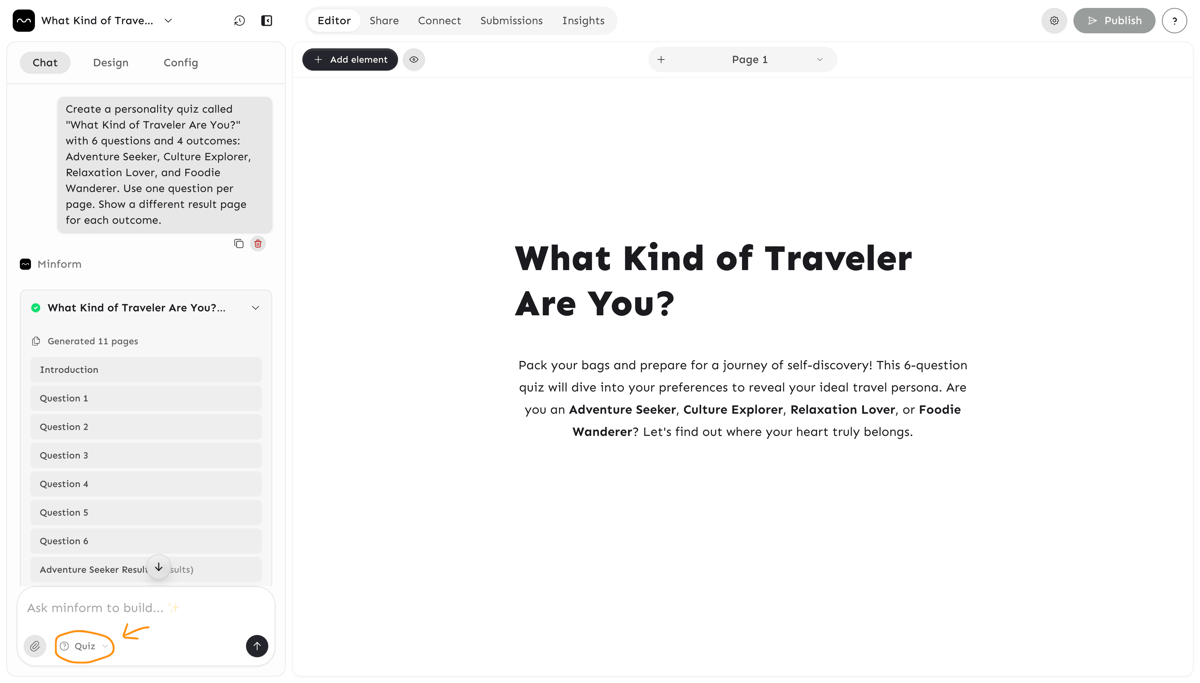
The AI will set up everything for you:
- Multiple-choice questions, one per page
- Score values on each option mapped to the right outcome
- Variables to track each outcome category
- Conditional logic to route respondents to the matching result page
- A separate end page for each outcome
For personality and recommendation quizzes, the AI automatically uses a one-question-per-page layout so each question gets full focus. If you'd prefer all questions on a single scrollable page, just mention it in your prompt:
Use multiple questions per page instead.
Refine with follow-up prompts
You don't need to get everything right on the first try. Keep chatting to adjust:
Add or change questions:
Add a question about budget preferences.
Change question 3 to ask about food instead of nightlife.
Adjust scoring:
Make "Adventure Seeker" the result if someone picks mostly outdoor activities.
Set scoring so ties default to "Culture Explorer."
Improve result pages:
Make the result pages more detailed with travel tips for each personality type.
Fix logic if something's off:
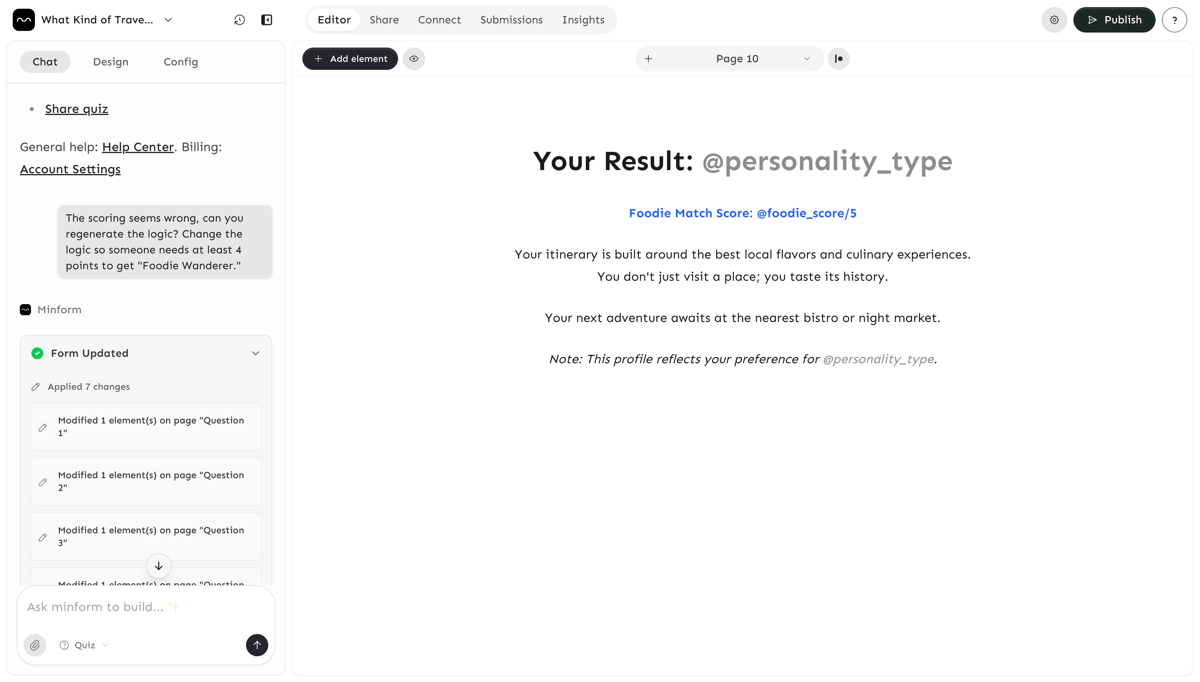
The scoring seems wrong, can you regenerate the logic?
Change the logic so someone needs at least 4 points to get "Foodie Wanderer."
Enable correct answer feedback
For quizzes where there's a right answer (trivia, grammar tests, exam prep), you can ask the AI to show correct answers after each question:
Show the correct answer after each question with a short explanation. The correct answer is determined by whichever option has the highest score. So if "Tokyo" has a score of 1 and the other options have 0, Tokyo shows as correct. The AI can also add brief explanations for each answer so respondents learn from their mistakes immediately.
You can also toggle this manually by selecting a question and enabling Show correct answer in the score settings.
Make result pages count
Result pages are where engagement happens. This is what people screenshot, share, and remember. Ask the AI to make them rich:
Add a headline, a short personality description, and a CTA button linking to our travel packages on each result page.Tips for better quizzes
- 5 to 8 questions is the sweet spot. Fewer feels shallow, more causes drop-off.
- Balance your outcomes. If one outcome only maps to 1 question, it'll rarely win. Ask the AI to spread scoring evenly.
- Preview and test. Run through the quiz yourself and make sure each outcome is actually reachable.
- Use images and videos. Add visuals to questions and result pages to make the quiz feel polished. You can upload images or embed videos directly in the editor.
How it works under the hood
You don't need to know this to build a quiz, but it helps if you want to understand what the AI created or make manual tweaks.
- Per-option scoring: Each answer option carries a point value (e.g., correct = 1, wrong = 0). For personality quizzes, each option maps to a different outcome variable.
- Variables: Running totals that accumulate across questions. One variable per outcome (e.g.,
adventure,culture). View them in Settings > Variables. - Conditional logic: Rules that check variable values and route respondents to different end pages. View in the Logic panel.
If something looks off, you can always ask the AI to regenerate the logic rather than fixing it by hand:
The logic is broken, please regenerate it.Common quiz types
Quiz Type | Example | Prompt idea |
|---|---|---|
Personality | What's Your Leadership Style? | "Create a personality quiz with 4 outcomes..." |
Product recommendation | Which Plan Is Right for You? | "Build a recommendation quiz that suggests one of 3 products..." |
Knowledge / trivia | Marketing 101 Quiz | "Make a 10-question trivia quiz with scoring and show correct answers" |
Assessment | Employee Onboarding Check | "Create an assessment with a pass/fail threshold at 70%" |
Compatibility | Are You a Good Fit for Remote Work? | "Build a self-assessment quiz with weighted scoring across 3 traits" |