 Minform
Zapier Integration
Zapier lets you connect your forms to 8,000+ apps so submissions automatically flow wherever you need them. Send new responses to Google Sheets, notify your team in Slack, create CRM contacts, trigger emails, and more.
No code required. Minform has a native Zapier integration with a built-in setup flow right inside your dashboard.
Connect your form to Zapier
- Open your form in the dashboard
- Click the Connect tab in the top navigation
- Find Zapier in the integrations list and click Connect
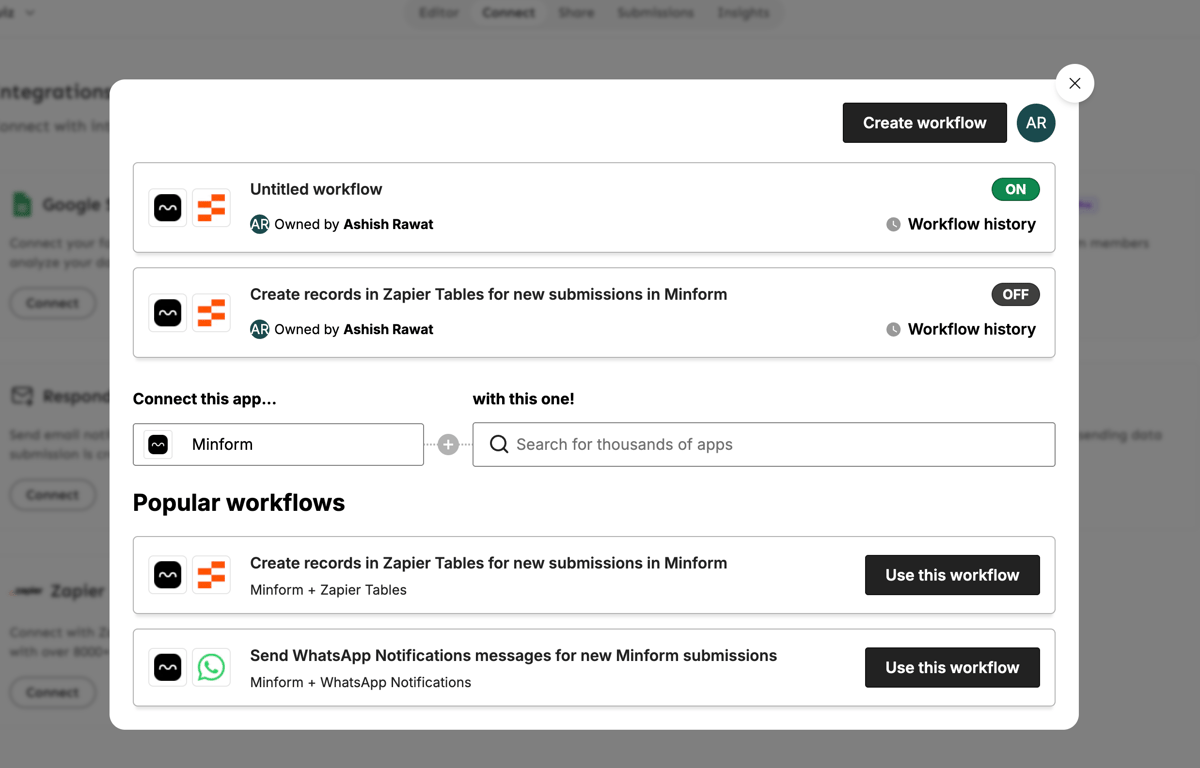
This opens the Zapier workflow builder directly inside Minform. You don't need to leave your dashboard.
Create your first Zap
Inside the Zapier builder:
- Authorize your account. The first time, Zapier will ask permission to access your Minform forms and submissions. Click Allow.
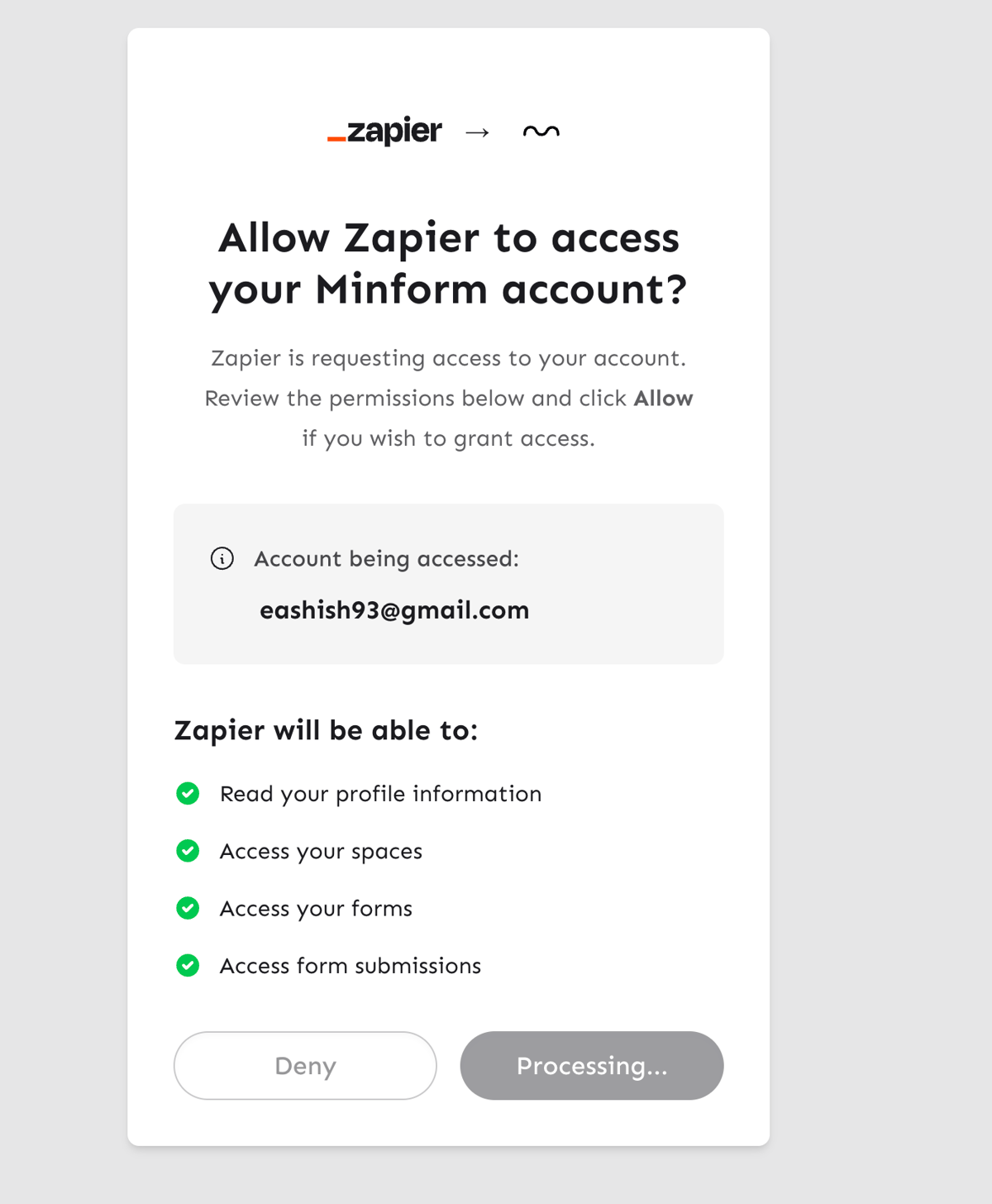
- Choose a trigger. Select New Form Submission as the trigger event, then pick which form you want to connect.
- Choose an action app. Search for the app you want to send data to (Google Sheets, Slack, Notion, HubSpot, etc.) and select the action (e.g., "Create Spreadsheet Row").
- Map your fields. Zapier will pull sample data from your form so you can map each form field to the right place in your action app.
- Test and turn on. Run a test to make sure everything flows correctly, then activate your Zap.
That's it. Every new submission will now trigger your Zap automatically.
What data gets sent to Zapier
Each submission includes:
- All form field values (name, email, selections, etc.), labeled by their field names
- Submission ID and timestamp
- Form name and ID
- Any variable values from your form (labeled with "(variable)")
Common Zap ideas
When someone submits... | Send to... | Use case |
|---|---|---|
Contact form | Slack channel | Get instant team notifications |
Quiz results | Google Sheets | Build a results spreadsheet |
Lead form | HubSpot / Salesforce | Create CRM contacts automatically |
Registration form | Gmail / Mailchimp | Send confirmation emails |
Feedback form | Notion / Airtable | Track feedback in a database |
Order form | Stripe / invoicing tool | Trigger payment workflows |