 Minform
Show Quiz Answers on Results Page
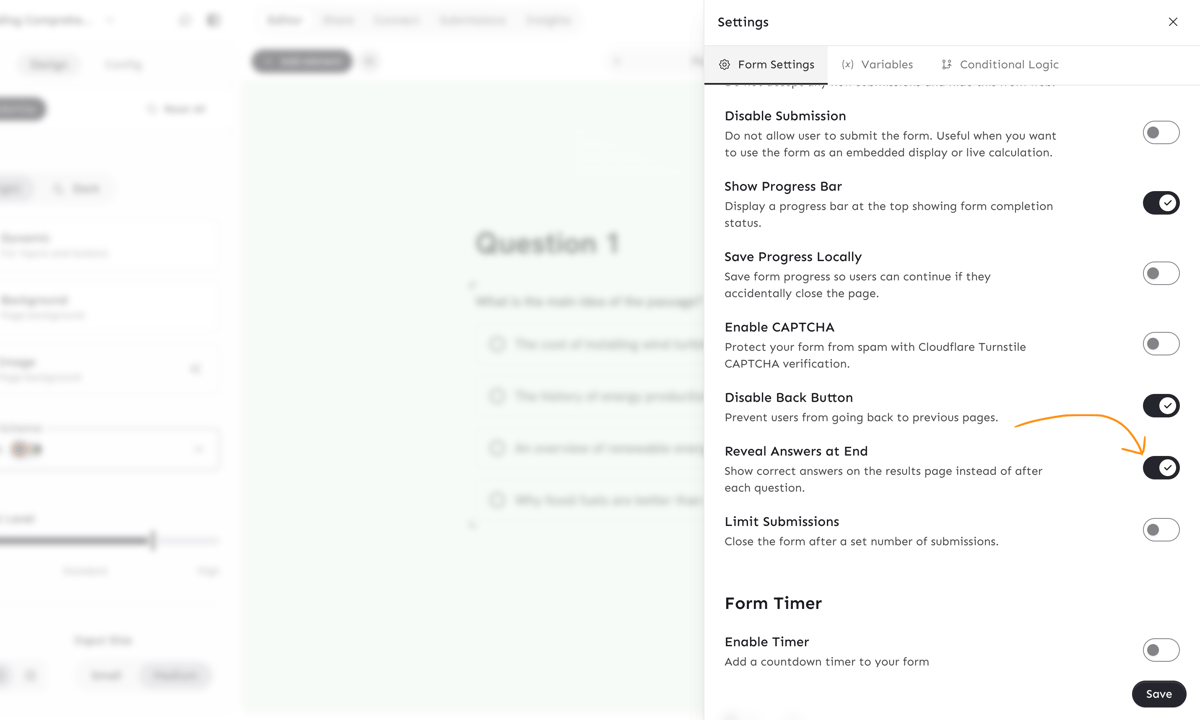
By default, quizzes with Show Correct Answer enabled reveal the answer immediately after each question. You can change this so answers are shown all at once on the results page instead.
Enable deferred answer reveal
- Open your quiz in the editor
- Click the gear icon to open Form Settings
- Under Form Behavior, enable Reveal Answers at End
- Click Save
How it works
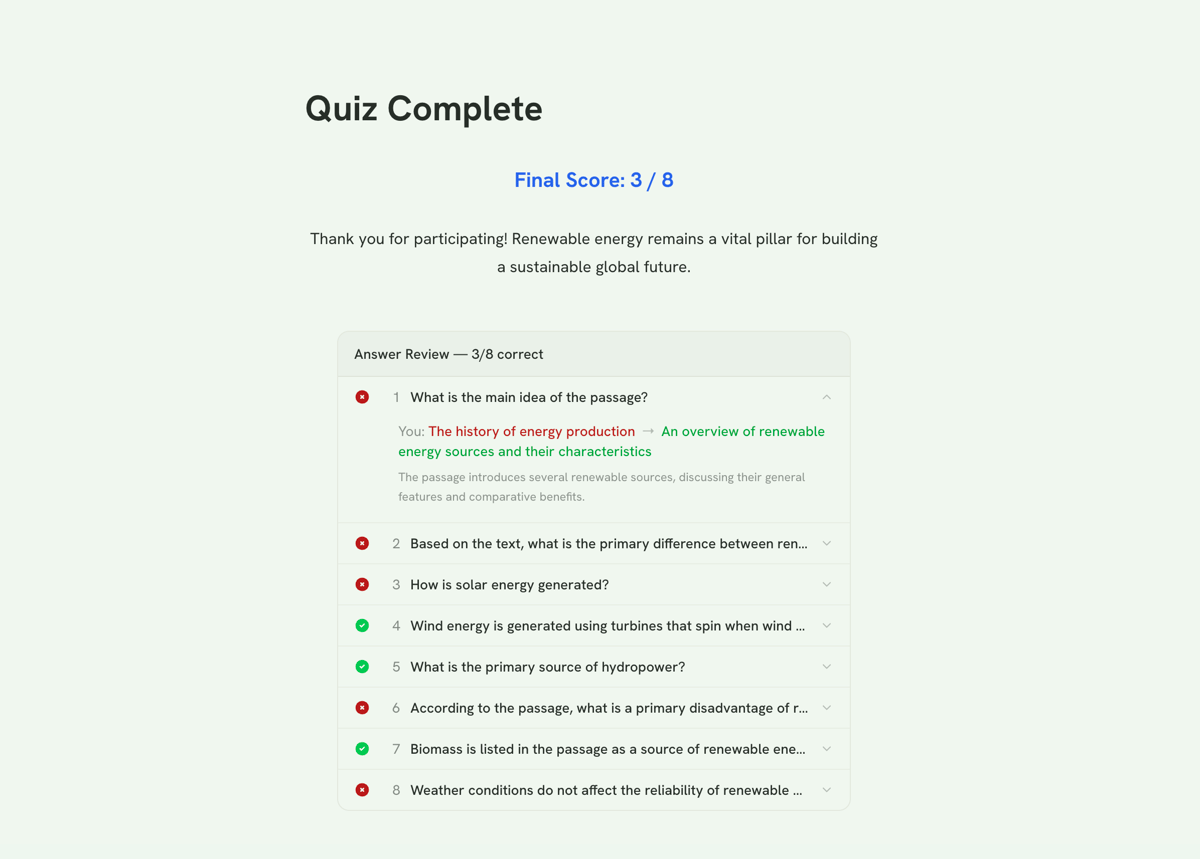
- During the quiz, respondents answer questions without seeing if they're right or wrong
- After submitting, the results page shows an Answer Review section
- Each question shows:
- Whether the answer was correct or incorrect
- The user's answer vs. the correct answer
- Custom feedback (if set on the question)
Requirements
For the answer review to show data, each question needs:
- Scores set — Open the Score dialog on each multiple choice question and assign scores (correct answer = 1, others = 0)
- Show Correct Answer enabled — Toggle this ON in the Score dialog for each question
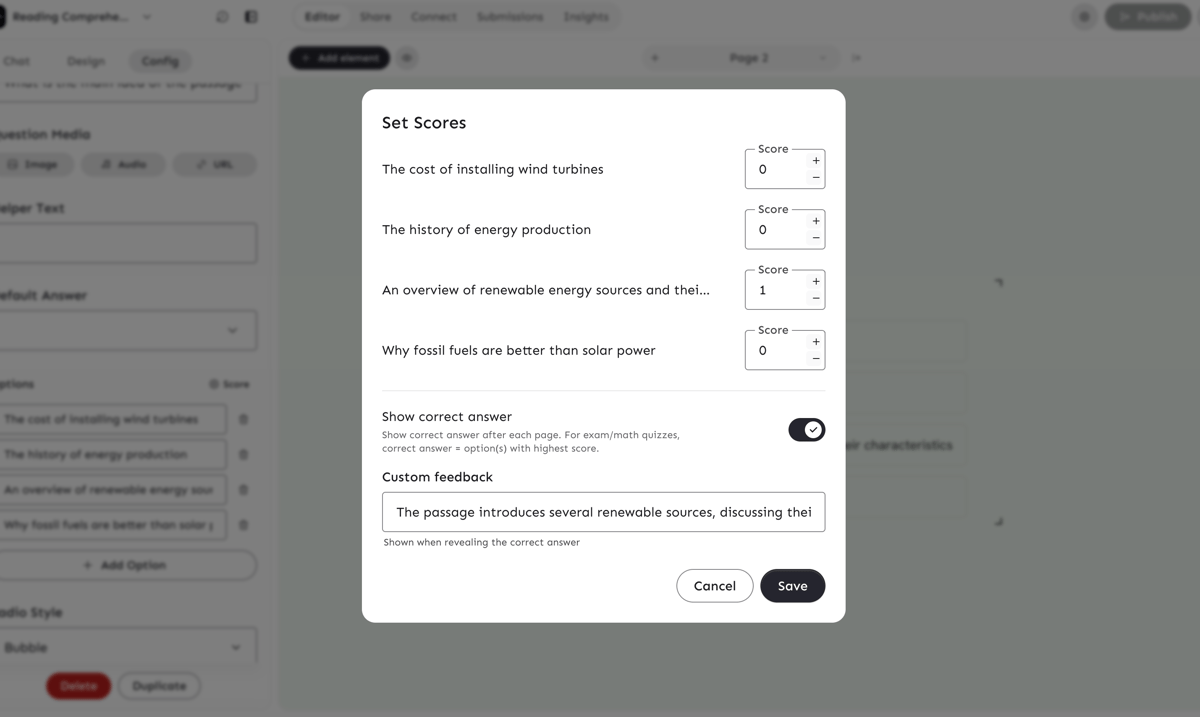
Note: The per-question "Show Correct Answer" toggle controls which questions appear in the review. The form-level "Reveal Answers at End" controls when they're shown.
Using with AI
When creating a quiz with the AI chat, include phrasing like:
Don't reveal answers until the results pageShow answers at the end
The AI will automatically enable deferred reveal and set up scoring + feedback on all questions.