 Minform
Timer Access Codes for Secure Quizzes
If you're running a timed quiz or exam, you probably don't want anyone with the link to just start it. Access codes let you control exactly who can take the test. Each respondent needs a unique code to begin, and once used, it can't be reused.
NOTE: This feature requires paid plan.
How it works
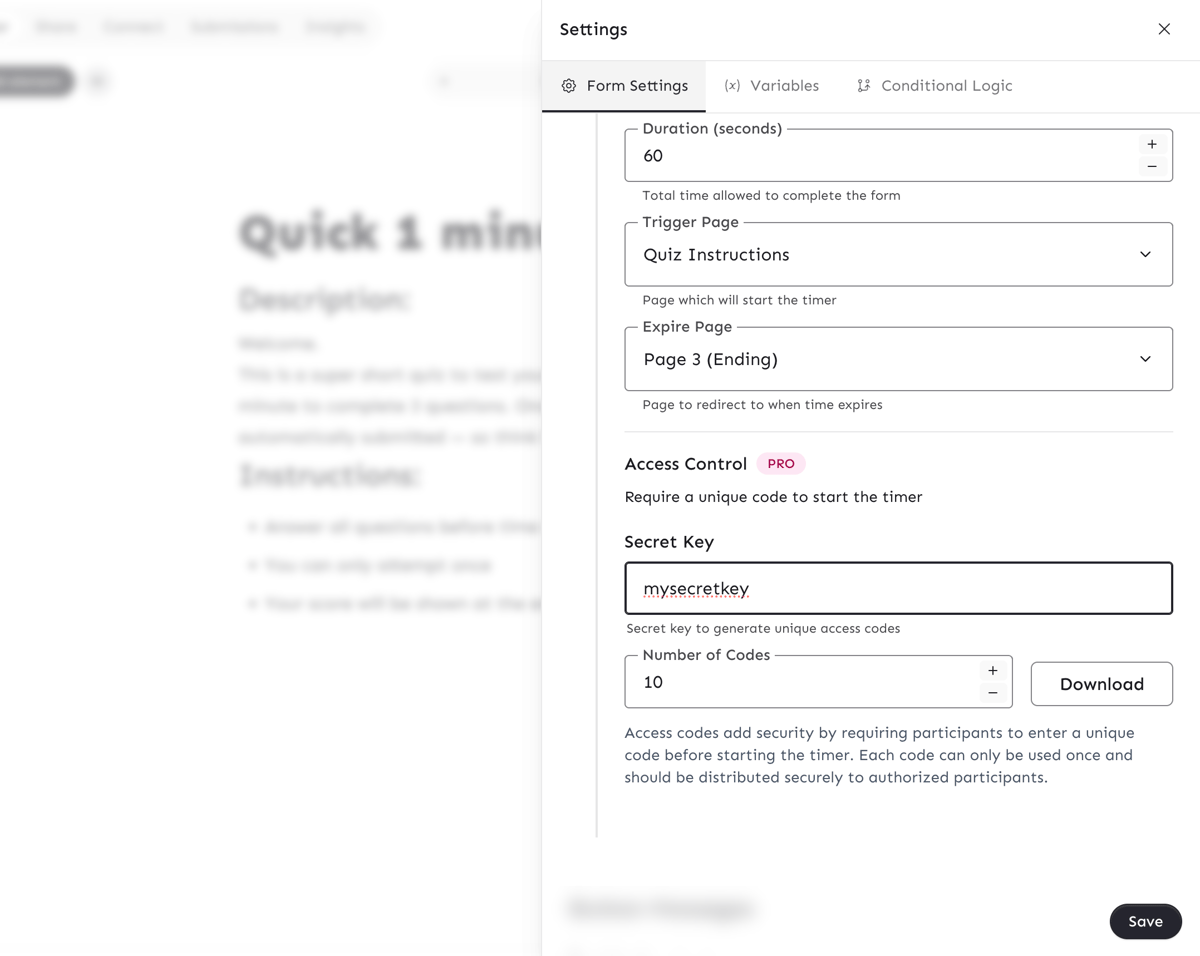
You set a secret key in your form settings. From that key, Minform generates unique access codes that you download and distribute to your participants (via email, LMS, print, however you want). When someone opens your quiz, they'll need to enter their code before the timer starts.
Each code is one-time use. Once someone uses a code and starts the timer, that code is locked and can't be used again.
Setting up access codes
- Open your form in the editor
- Go to Settings > Form Timer
- Make sure the timer is enabled
- Under Access Control, enter a Secret Key (this can be any text you choose, like a password)
- Enter the number of codes you need (up to 100,000)
- Click Download to get a text file with all the codes
The downloaded file has one code per line. Each code is a 12-character string like A1B2C3D4E5F6.
Tip: Keep your secret key safe. Anyone with the same key can regenerate the same codes. If you need a fresh batch, just change the secret key.
What respondents see
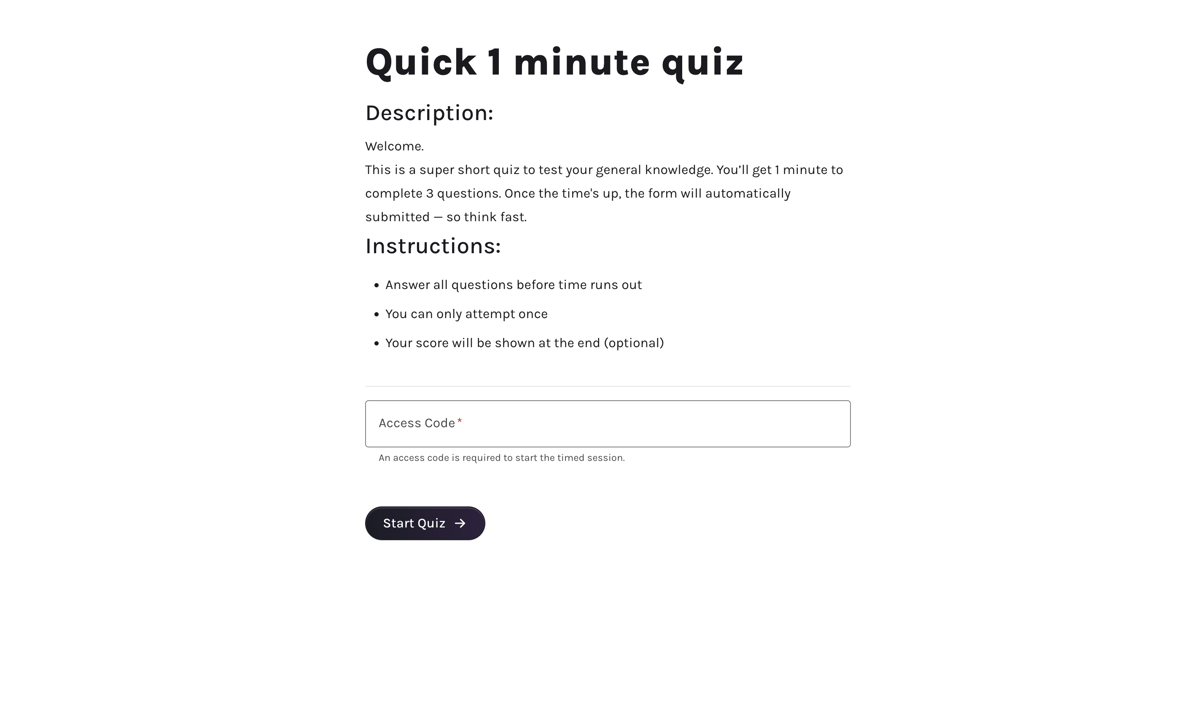
When a respondent reaches the page where the timer starts, they'll see an "Access Code" field. They enter their code, hit Next, and the timer begins.
Use cases
- Classroom exams: Hand out codes to enrolled students so only they can take the test
- Certification tests: Send codes to registered candidates before the exam window opens
- Training assessments: Distribute codes through your LMS or HR system
- Competitive quizzes: Give each participant a unique code at the start of an event